
LYNTRX360 · Platform and app
The asset record where the work happens.
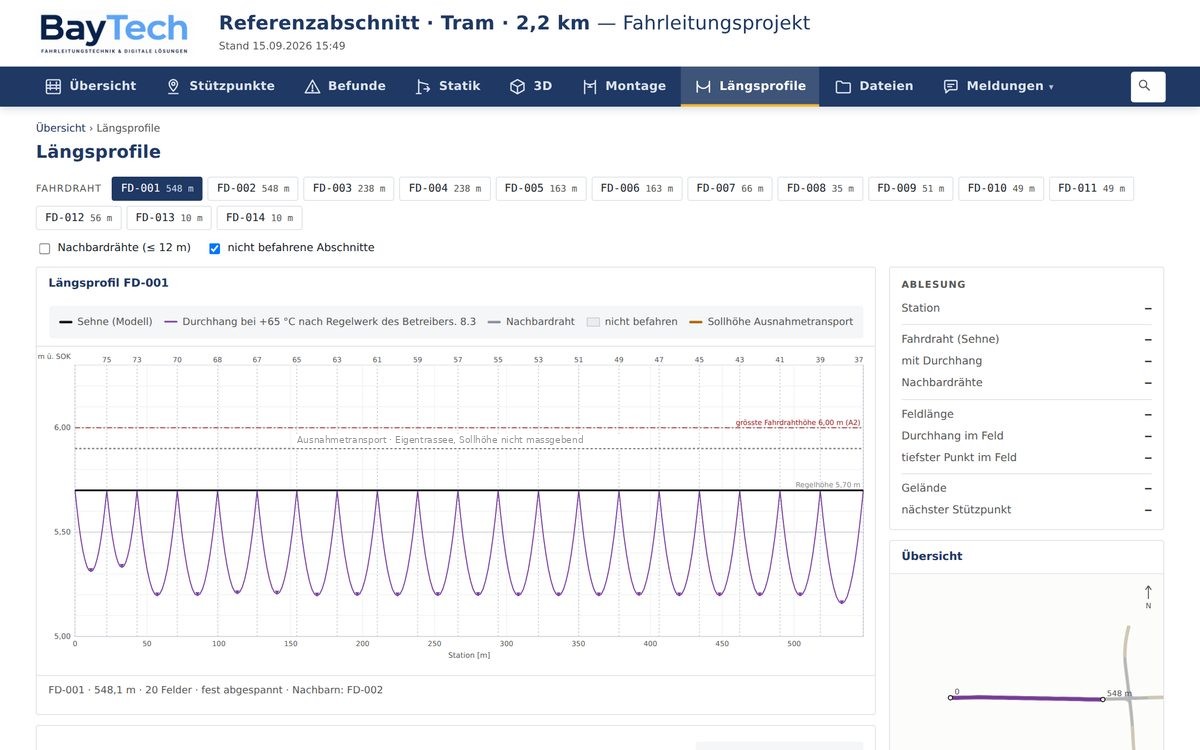
A model is of little use sitting in a file on one computer. LYNTRX360 brings documents, findings, analysis and the 3D model onto a protected project page – reachable in the office, on site and at the operator.
What is on the portal
Everything about the section, at one address.
Project overview
Key figures from the data set, a map of the section, the state of the evaluation and access to all documents.
A page per support
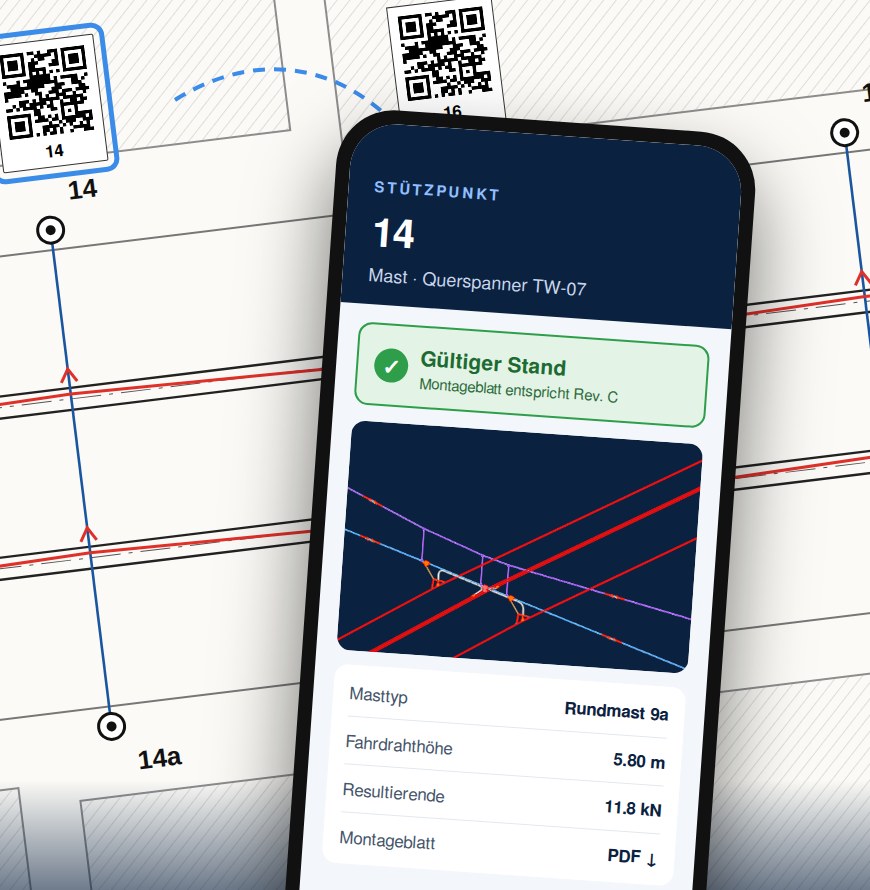
Every pole and every wall anchor has a permanent address with data, drawing extract, incoming cables and analysis. The QR code on the installation sheet leads straight there – and reports when the printed sheet no longer matches the current state.
Findings
Each finding on its own page with drawing extract, measured value, limit and rule. The operator can accept a finding with date, time and initials – after that it counts as closed and leaves the list.
Analysis and profiles
One sheet per structure and per pole, plus longitudinal profiles with sag and cross profiles – readable in the browser and as PDF.
3D in the browser
The model with terrain, buildings and components, without CAD and without installation. Clicking a component shows its properties.
Feedback
A note can be filed on any entry, with replies as a thread. Whoever writes is identified through their login – no message without a sender.
Accounts issued by the operator
An administrator at the operator creates further accounts and assigns rights. The data sits in a protected area per operator with a Swiss hosting provider.
Map and Google Earth
The section on aerial imagery and topographic map, plus the installation as KMZ for Google Earth – for a quick look at the situation.
Update, don't re-collect
One state, not fourteen files.
The difference between a delivery and an asset record is updating. A delivery is correct on the day of handover. A record stays correct because it is kept up to date – what is often called a digital twin.
Because every document is generated from the same data set, a correction does not lead to fourteen separate edits but to one new state – model, analysis, profiles, installation sheets and portal pages together.
App
The asset record in your pocket.
On site, what counts is what fits in your hand. The app brings the project page to the phone and uses what the device already knows: its location.
- Nearby support – the app shows which pole is in front of you, with drawing extract and data
- Photos filed automatically – taken on location, stored with the right support in the project
- Profiles and sheets on demand – cross and longitudinal profile, installation sheet, analysis
- Feedback on the spot – with image, location and sender
The app for iPhone and iPad is in development. The platform itself already runs in the browser on any device.
Who it is for
Installation crews
Sheets, support pages and feedback directly on site – without a stack of paper and without calling the office.
Planning
Record, findings and analysis at hand when a decision is due.
Operator
One account for your own section – documents, state and messages.
See the portal on a section of your own.
LYNTRX360 shows itself best on a real project. We set up access for a reference section and walk through it together.